Find the fixture first
Use the official IPL matches page for the relevant season, teams, date and match status. Then open the platform’s live list and match those details. Pay attention to local time zones, rescheduled fixtures and similar team names.
Guide reviewed September 28, 2026. The interface examples were captured September 23, 2026. This guide does not publish a verified live BATWIN IPL schedule or confirm that entries are currently open.
Where Fantasy and Sports fit
For a lineup-based contest, check Fantasy → Cricket. For an event market, check Sports and use the available league or match search. These are separate tasks: a match can appear in one area without appearing in the other.
If the fixture is absent, check the season filter, match date and platform availability. Do not join an unrelated event just because it has an IPL-style banner. Return when the platform publishes the exact fixture or ask its support about availability.
The IPL pre-entry checklist
| Check | Fantasy | Sports |
|---|---|---|
| Match identity | Teams, fixture date and contest ID | Teams, event date and selected market |
| Deadline | Team lock and edit conditions | Market closure and acceptance conditions |
| Rules | Player scoring, substitutes, roster limits and tie rankings | Market definition, result source and settlement |
| Weather or delay | Minimum-play, cancellation and refund terms | Postponement, abandonment and void rules |
| Costs | Entry amount and published prize distribution | Stake, price and applicable charges |
Toss, lineups and postponed matches
A toss update or confirmed lineup may arrive close to a contest deadline. Check the platform’s edit rules before changing a team; do not assume the official match start and contest lock are identical.
If rain shortens a match or a fixture moves to another date, the platform’s written terms determine how an entry or market is handled. Keep the relevant contest or transaction reference and use platform support for account-specific questions.
Check event offers separately
A cricket-season promotion may have its own start date, eligibility and wagering conditions. It does not establish the availability of a particular match. Read the full terms in the current activity screen before acting on any banner.
For the difference between familiar Dream11-style terminology and BATWIN’s own contest rules, use the Fantasy cricket guide. For Android access, use the APK download guide.
Mobile screen examples
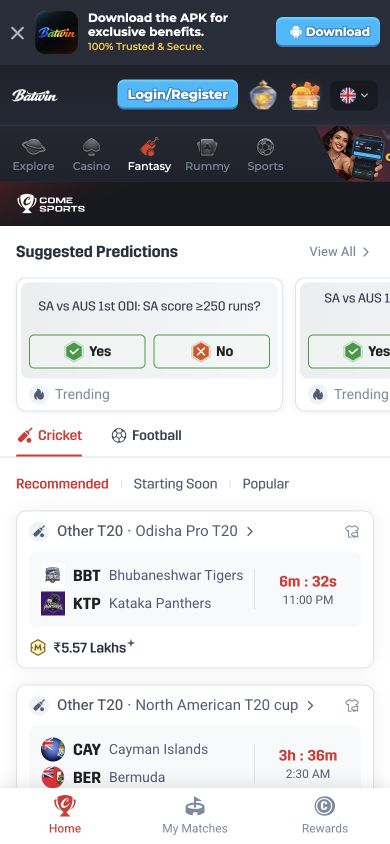
Public mobile website screenshots captured September 23, 2026. These are dated interface examples, not an installed APK test or a live event or offer feed.
Explore Batwin on your phone
Download the Android APK directly, then use the app or the verified platform website for account access and game navigation.
Frequently asked questions
BatWin.io is an independent affiliate guide. We may earn a commission through platform links. Account access, game availability and paid participation are handled by the platform.